I gave a talk on chunking recently. This is the written version.
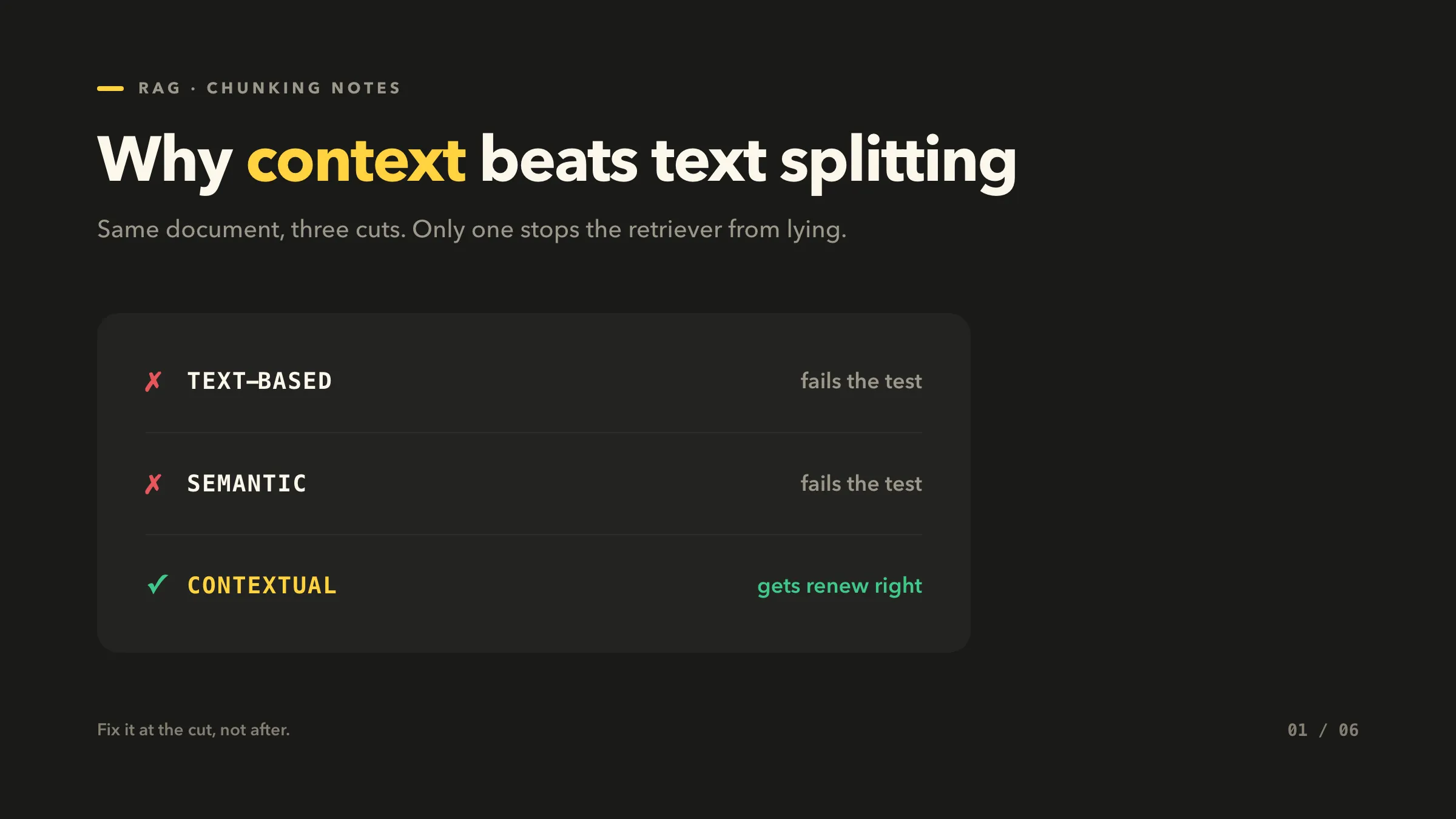
It walks through three ways to cut a document for RAG. Text-based splitting, semantic chunking, and contextual chunking. Same document, three cuts. Only the last one stops the retriever from lying.
The hallucination trap
Bad chunks give wrong answers, confidently.
Here’s the setup. One help page, two sections.
Renewing your subscription Go to Settings > Billing. Under “Plan status”, click Renew. Your plan continues at the current rate and you keep all saved data.
Canceling your subscription Go to Settings > Billing. Under “Plan status”, click Cancel. Your plan ends at the close of the billing cycle and saved data is removed.
Two near-identical passages. Both say “Settings > Billing, click ___.”
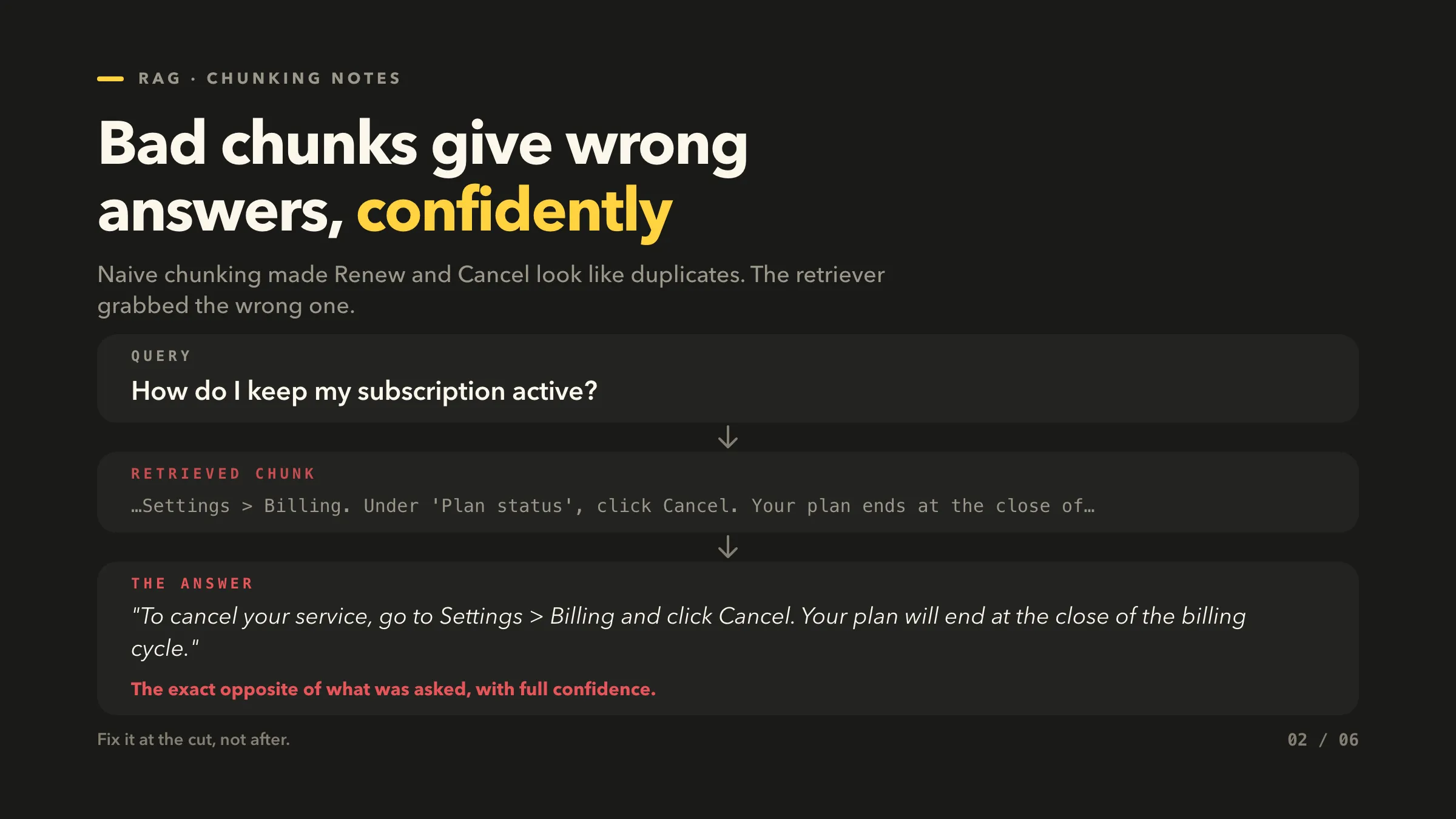
Now someone asks: “How do I keep my subscription active?”
The retriever pulls the Cancel chunk. The model answers:
“To cancel your service, go to Settings > Billing and click Cancel. Your plan will end at the close of the billing cycle.”
The exact opposite of what was asked, stated with full confidence.
Why it happens: naive chunking made the two passages look like duplicates, so the retriever grabbed the wrong one.
”Why not just rerank?”
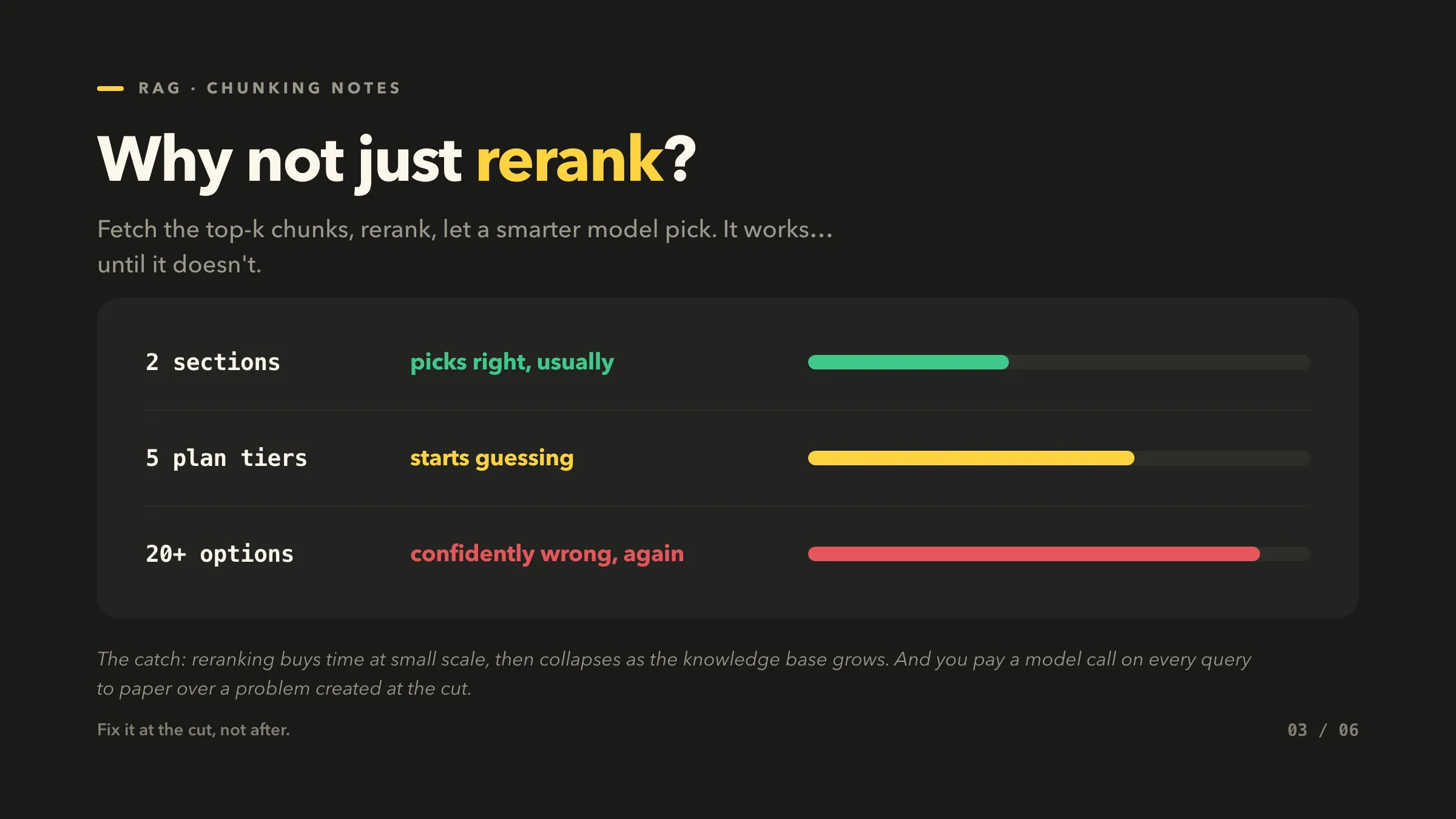
The tempting shortcut. Fetch the top-k chunks, rerank them, let a smarter model pick the right one. It works… until it doesn’t.
- 2 sections: the reranker picks right, usually.
- 5 plan tiers: it starts guessing.
- 20+ options: it picks confidently wrong, again.
Reranking buys time at small scale. It collapses as the knowledge base grows. And you pay a model call on every query to paper over a problem created during chunking.
Fix it where it breaks: at the cut, not after.
Option 1: fixed-size chunks with overlap
Pick a chunk size and an overlap. The overlap hands the next chunk a tail of the previous one, so ideally both get retrieved together.
from langchain_text_splitters import CharacterTextSplitter

splitter = CharacterTextSplitter(
    chunk_size=500, chunk_overlap=80)
chunks = splitter.split_text(doc)
# help page -> 2 chunks
Here’s what the cut produces on our help page (| marks the cut):
CHUNK 0  (chars 0-500)
...click Renew. Your plan continues... you keep all saved data.
Canceling your subscription  To cancel, go to Settings > Bil|

CHUNK 1  (overlap re-includes the tail)
|ng. Under 'Plan status', click Cancel. Your plan ends at
the close of the billing cycle...
Fast, free, deterministic. But it cuts mid-topic and carries no document context. Renew and Cancel get jammed across the boundary, both ending in “Settings > Billing, click ___.” That is exactly the bug from the first section.
Option 2: semantic chunking, split on topic shift
Embed each sentence. Start a new chunk where the meaning jumps. No more mid-topic cuts.
embeddings = embed(sentences)

# new chunk when distance to the
# previous sentence spikes
chunks = split_on_distance(
    sentences, embeddings, threshold=0.4)
Now the chunks separate cleanly:
CHUNK 0 · RENEW
"Renewing your subscription. ...click Renew. Your plan
continues at the current rate..."

CHUNK 1 · CANCEL
"Canceling your subscription. ...click Cancel. Your plan
ends at the close of the cycle..."
Clean boundaries, recall improves. It costs embeddings if you’re using a paid model.
Better than text splitting: it splits on topic, not token count. But it’s purely arithmetic. It sees distance between sentences, never how a chunk relates to the document. Still context-unaware.
Every method is missing the same thing: context
Text-based cut blind. Semantic cut clean. Both hand the retriever a chunk with no idea how it relates to the rest of the document.
”…click Renew…” and “…click Cancel…” From which page? About what? Identical in isolation.
The fix isn’t a better cut. It’s giving each chunk its context back, before you embed it.
Option 3: contextual chunking, prepend what the chunk is about
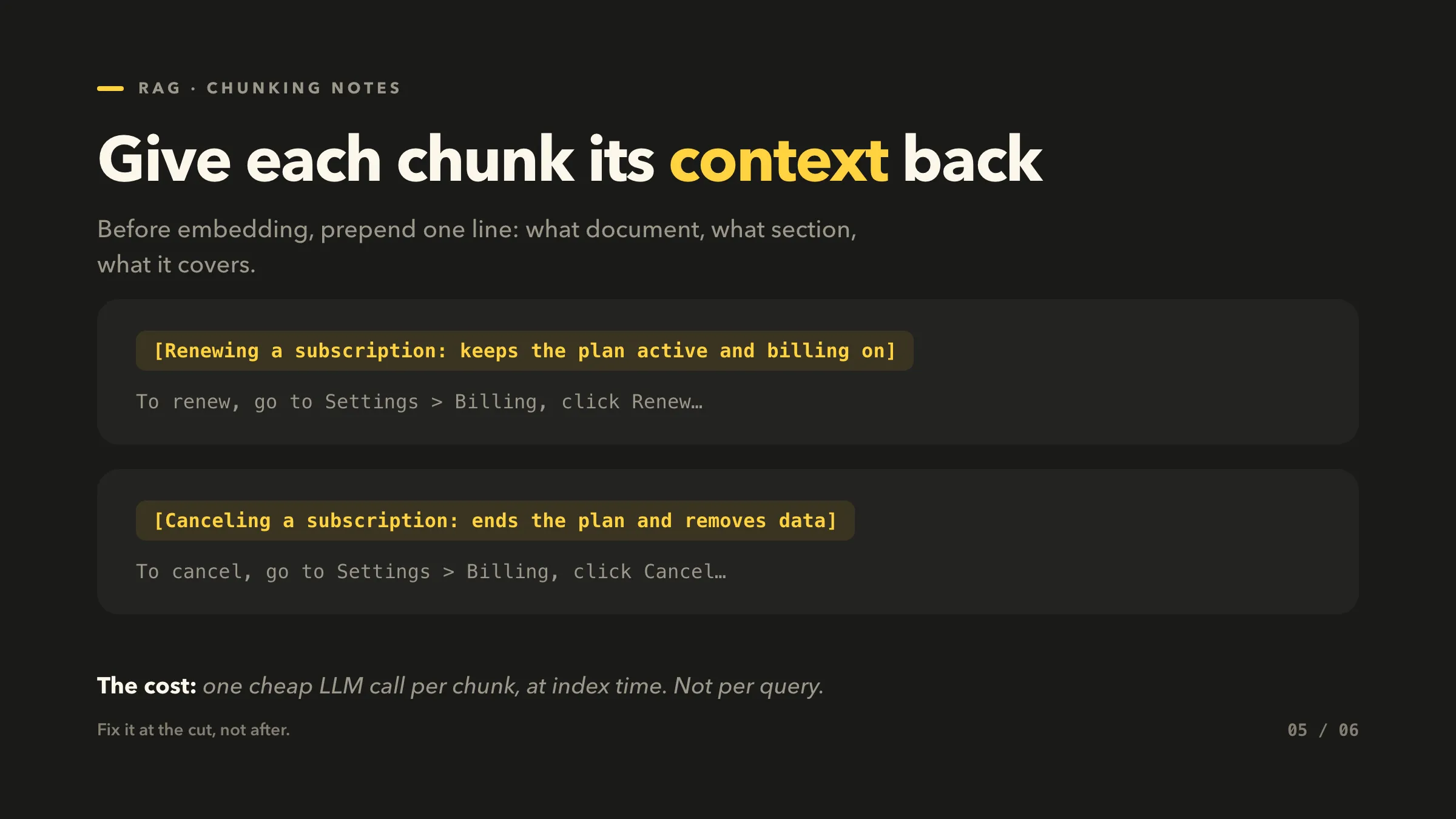
Before embedding, attach a short line of context to each chunk: what document, what section, what it covers.
# one cheap LLM call situates the chunk
context = llm(
  f"In one line, place this in the doc:\n{chunk}")

embedded = embed(context + "\n\n" + chunk)
The chunks now know their place:
[Renewing a subscription: keeps the plan active and billing on]
To renew, go to Settings > Billing, click Renew...

[Canceling a subscription: ends the plan and removes data]
To cancel, go to Settings > Billing, click Cancel...
Now “how do I renew?” matches the Renew chunk and pulls away from Cancel. The context broke the tie the other two methods could not.
The cost: one LLM call per chunk, at index time. Not per query.
One document, three ways to cut it
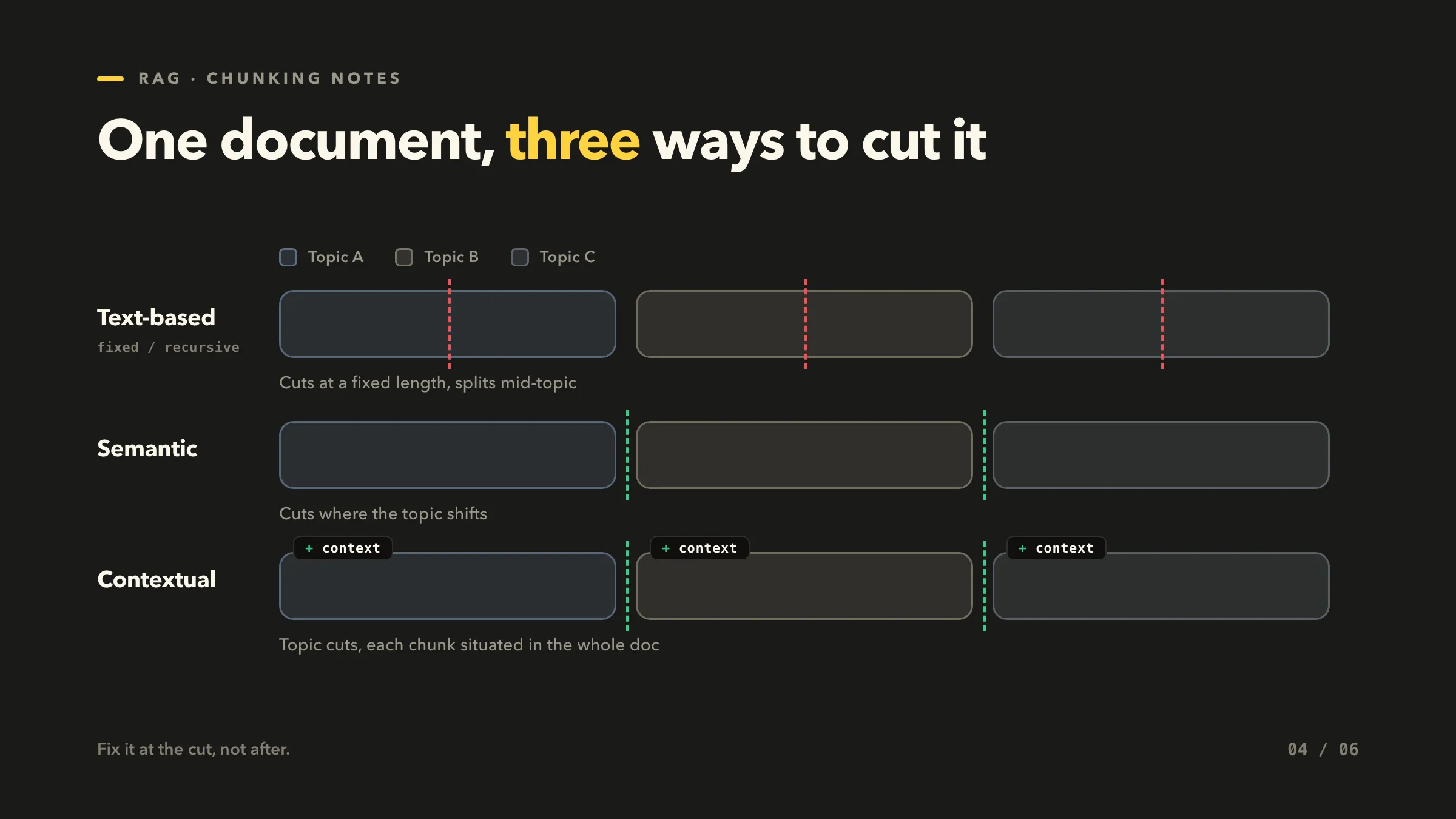
Text-based cuts at a fixed length and splits mid-topic. Semantic cuts where the topic shifts. Contextual makes the same topic cuts, then situates each chunk in the whole document with a context blurb.
The verdict
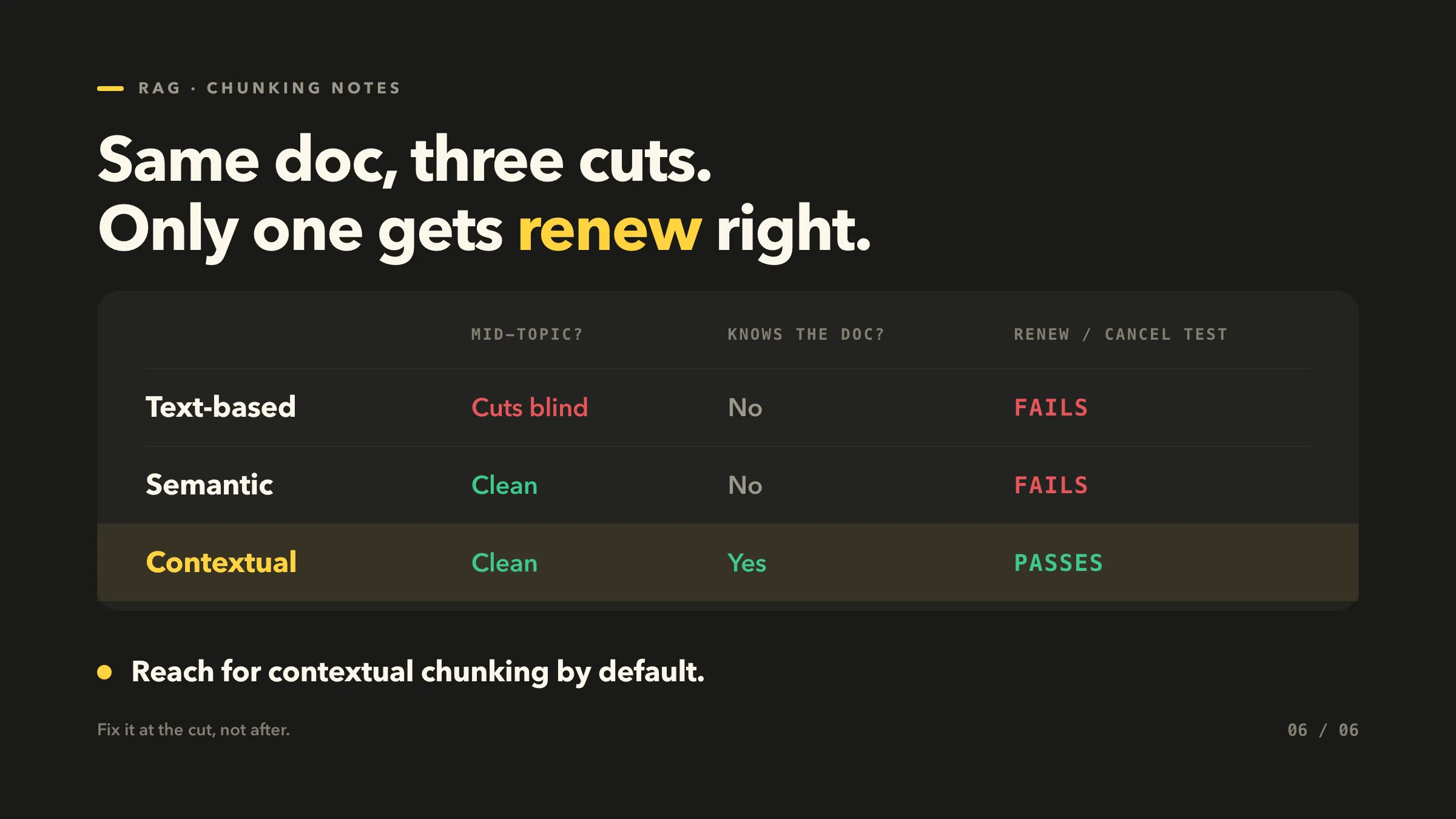
Same doc, three cuts. Only one gets renew right.
| Mid-topic cuts? | Knows the doc? | Renew / Cancel test | |
|---|---|---|---|
| Text-based | Cuts blind | No | Fails |
| Semantic | Clean | No | Fails |
| Contextual | Clean | Yes | Passes |
If you need fast and free, text-based gets you moving. If you need better recall, semantic. If you need the retriever to actually get the answer right, contextual.
Reach for contextual chunking by default.